Go to Admin > Settings > Ingredient Settings > Edit an Ingredient Type > Fields
Then Edit any Ingredient Type and click on “Fields”
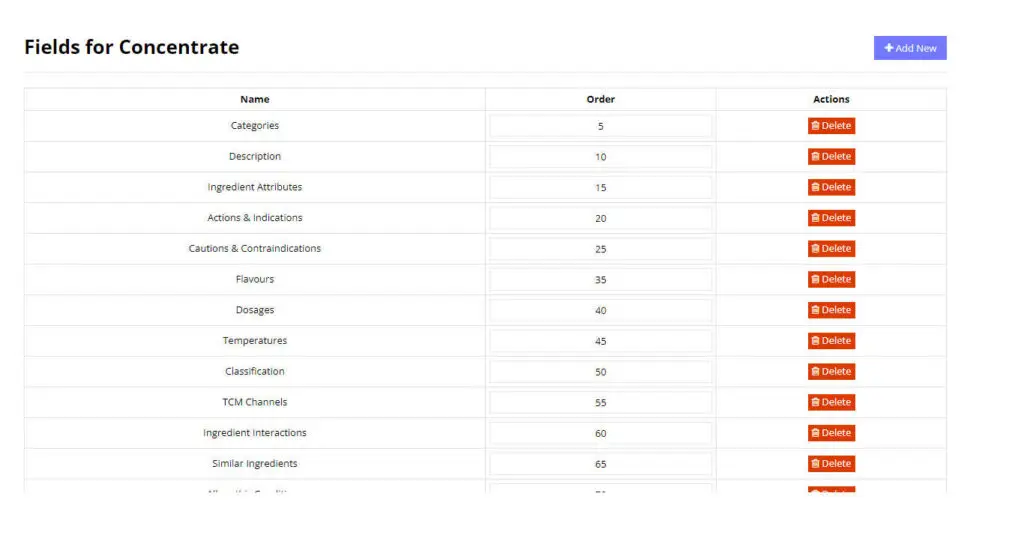
Fields contain data about the Ingredient and there are many different fields available. You can add or remove fields from the ingredient type.
When a new ingredient is created using this ingredient type, the fields shown here will automatically be created for the ingredient and also appear in the order you set here.
List of Fields Available
The following is a list of the available Fields:
Categories
Description
Ingredient Attributes
Temperature
Classification
Flavor/Tastes
Properties
Allopathic Conditions
TCM Channels
Actions and Indications
Dosages
Caution and Contraindications
Ingredient Interactions
Similar Ingredients
Symptoms
Drug Interactions
Tags
Default Dosages Instructions