Go to Admin > Settings > Ingredient Settings > Edit an Ingredient Type > Name Type
Each ingredient type will have active and inactive name types for the ingredients. You can enable or disable a name type for the ingredient type. You may only want the English name or you may want the ingredients associated with this ingredient type to have both a Latin Name and an English Name.
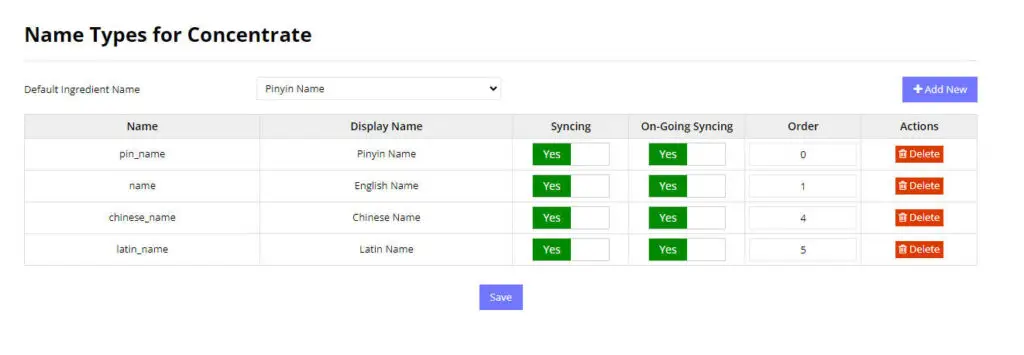
Default name Type
We often have many names for ingredients and displaying all of them in all circumstances is difficult and makes the website look crowded and difficult to read. Instead we show ONE name in tables and we use the default name of an ingredient. you can select the default name type that we should use for a particular Ingredient Type in the drop down. For each single ingredient, you can change the default name and choose any name type.
Add a Name Type
You can add a name type by selecting the “Add New” button and selecting a name type that is not already active. It will be added to the list.
Delete Name Type
You can delete a name type by pressing on the delete button next to the name type in the table.