Go to Admin > Settings > Ingredient Settings > Edit an Ingredient Type > Inventory
Then Edit any Ingredient Type and click on “Inventory Settings”
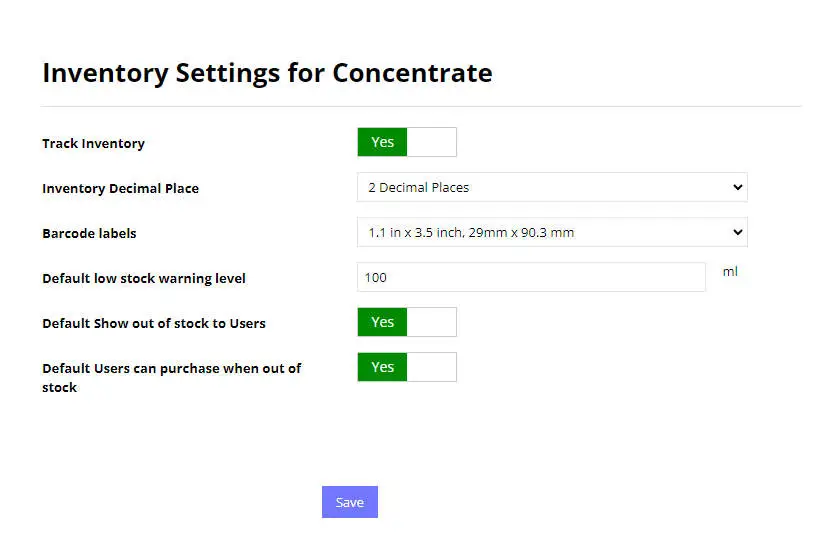
Track Inventory
Toggle to on or off if you want to track inventory for this ingredient type.
Inventory Decimal Place
Decide how many decimal places are required for inventory tracking.
Barcode Labels
Choose a barcode label size if you plan on printing barcodes for inventory/batch tracking.
Default Low Stock Warning Level
When a new ingredient is created using this ingredient type, this will be the default low stock warning level set for the new ingredient.
Default Show out of stock to Users
This option will be either YES or NO by default for new ingredients created using this ingredient type.
Default Users can purchase when out of stock
This will be the default option set on new ingredients added using this ingredient type. This option limits the user from ordering this ingredient if the item is out of stock. Otherwise the user can still order it, but the order will show up as backordered.