Go to Admin > Ingredients
To Learn about Ingredients, Click Here
Add Ingredients Help Video
Steps to Add a new Ingredient
At the top of the page there is a button called “Add Ingredient” Click on it and select Add Ingredient Manually.
You will be shown the following form after you pick the Ingredient Type
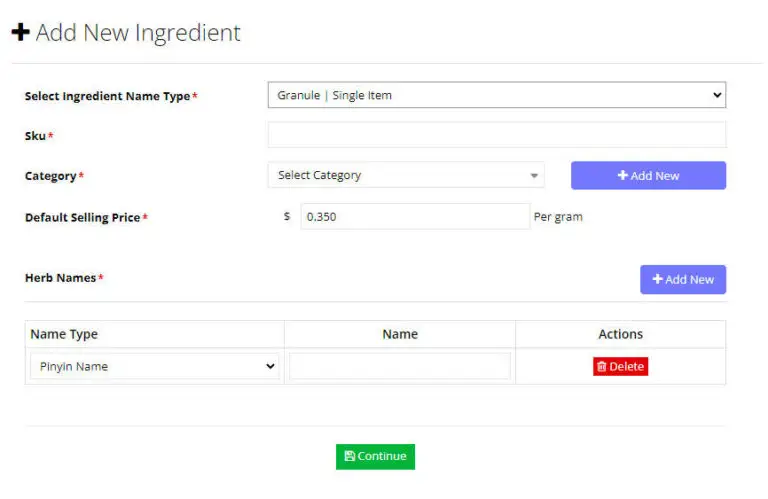
To add a new Ingredient, you must first fill out the following Required information.
- Enter a SKU# for the Ingredient. If you do not have one, you can make one up. SKU# must be unique per ingredient type.
- Select a Category. Learn more about categories Here.
- Enter the default selling price per unit for the new Ingredient.
- Enter at least one Ingredient Name
- Press Continue
- Your Ingredient is created, and you can edit it.