Outline on What you need to do!
1. Install Application in your Shopify Store – Copy Token and Shopify Store Name
2. Create & Copy DT API Application token
3. Register at Dofeeds.com
4. Setup Dofeeds Connection using Shopify Credentials and DT Credentials.
5. Sync Products
Shopify Application Setup
Create Shopify Store
Before you integrate with Shopify, you should already have a store setup with Shopify loaded with your products. If you have not setup a Shopify Store, please do this first.
Login to Shopify Store
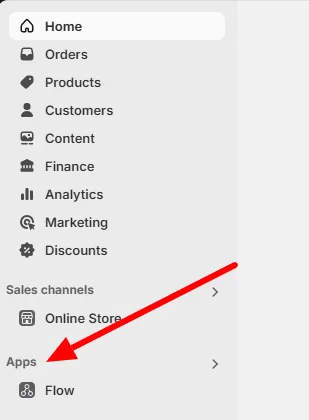
Login to your Shopify Store and click on “Apps” in the left navigation menu.
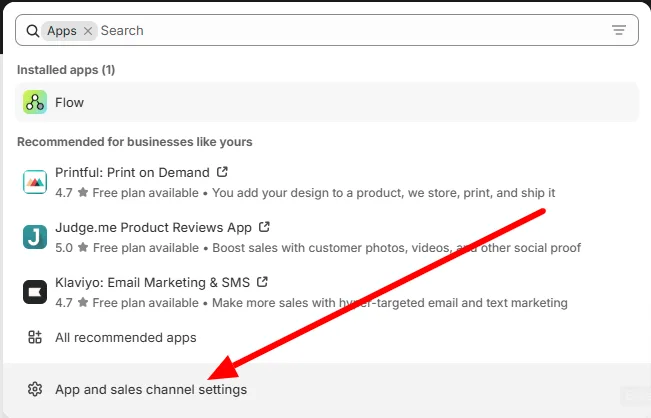
Click on “App and Sales Channel Settings” from the popup.
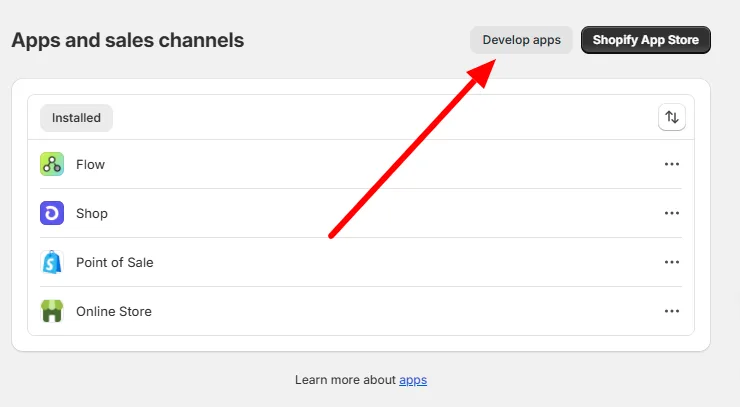
Click on Develop Apps
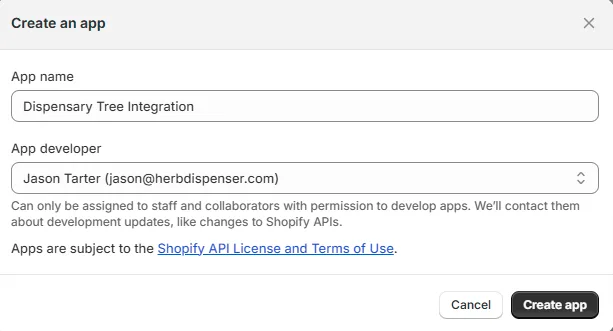
Name Your Application
Enter a name for your application. It doesn’t matter the name.
Examples
Dispensary Tree Integration
Your company Name
DT Integration
<<Storename>> Dispensary Tree
Click on “Create App” once you have entered your application name.
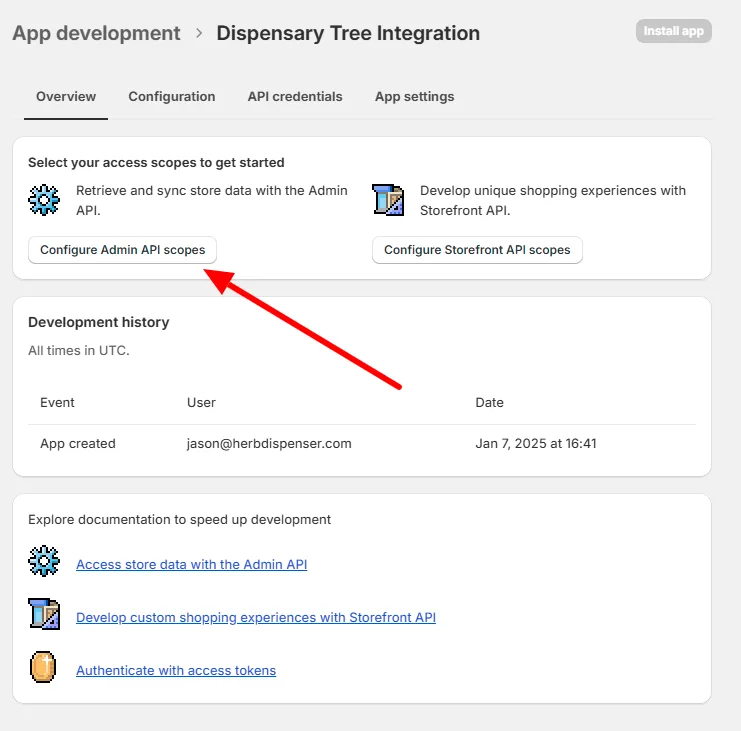
Click on Configure Admin API Scopes
Choose App Permissions
Select the following permissions.
Required Permissions for APP
- write_inventory
- read_inventory
- write_locations
- read_locations
- write_products
- read_products
After you are completed selecting these options, press SAVE